

QSR Franchise Staff Uniform OEM Checklist | Multi-Unit Operators
Table of Contents
Display
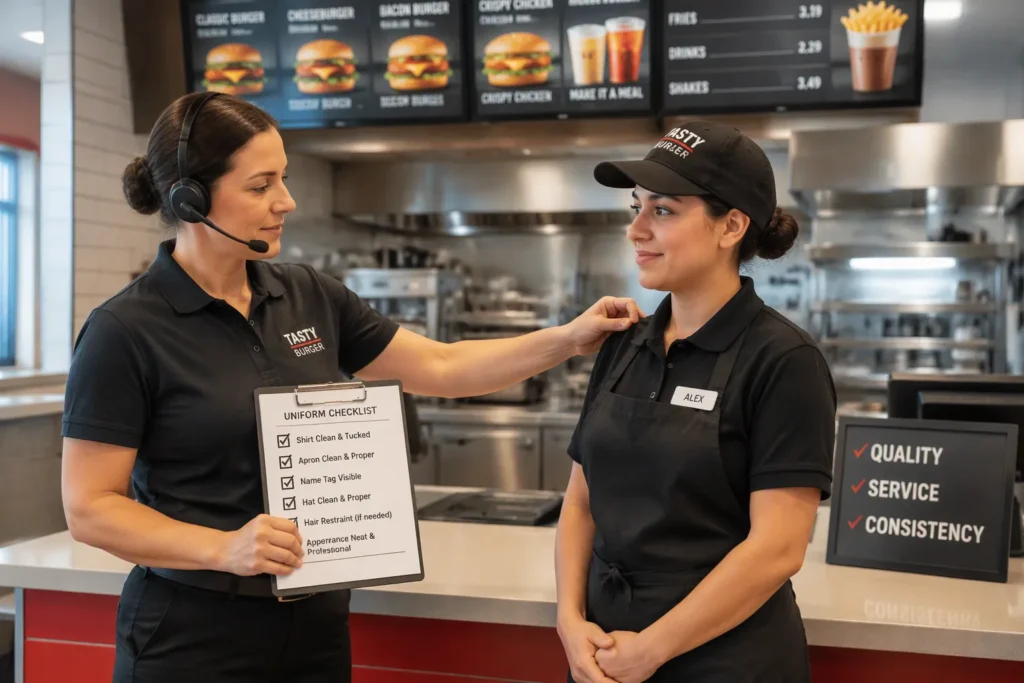
A centralized uniform checklist protects brand consistency across every QSR location you operate. Counter and kitchen-front kits drift from store to store. That drift weakens brand identity and creates rework before a store opening. You already recognize the symptoms: scattered size requests, mismatched logos, duplicate orders, and late deliveries. Each one traces back to a missing standard.
This post delivers a sequential, OEM-focused checklist for QSR franchise uniform OEM programs. You can apply it across all locations, from the first spec through the final reorder. One approved standard removes the guesswork. Every store then orders from the same playbook.
Key Takeaways
One approved standard covers every location. Define garments by role and lock colors, fabrics, and seasonal variants in a single brand document.
A written OEM brief prevents spec drift. State fabric, grease resistance, wash durability, and shrinkage expectations so suppliers quote against one document.
A standard location form removes duplicate requests. Each store submits the same required fields through one point of contact and one deadline.
Accurate sizing cuts rework. Use OEM size charts and fit samples so employees confirm their size before bulk production.
A consolidated master order protects lead times. Combine location quantities into one order, review SKUs and volume tiers, and approve a digital proof and pre-production sample before bulk runs.
Quick Takeaways
This checklist turns a scattered uniform program into one repeatable process. Each step builds on the last, from the approved garment list to the franchisee reorder schedule. The bullets below summarize what the full sequence delivers for a multi-unit QSR operation.
One approved standard covers every location. You define garments by role, then lock colors, fabrics, and seasonal variants in a single brand document. Every store orders from that same reference, so counter and kitchen-front kits match across the estate.
A written OEM brief prevents spec drift. The brief stacks polo, shirt, apron-compatible layers, and a softshell for drive-thru comfort. It also states grease resistance, wash durability, and shrinkage expectations. Suppliers quote against one document instead of interpreting scattered emails.
A standard location form removes duplicate requests. Each store submits the same required fields through one point of contact and one deadline. You stop reconciling mismatched spreadsheets and repeated size requests.
Accurate sizing cuts rework. OEM size charts and fit samples let employees confirm their size before bulk production. Size packs per store type keep fast-food counter teams and larger kitchen brigades properly covered.
A consolidated master order protects lead times. You combine location quantities into one order, review SKUs and volume tiers, then approve a digital proof and a pre-production sample before bulk runs.
A distribution and par-level plan keeps stores stocked. Route kits, tracked receipts, and defined reorder timing mean new openings and seasonal refreshes arrive on schedule rather than late.
Work through the steps in order. Each one closes a gap that otherwise reappears at the next store opening or rebrand.
Who This Guide Is For
This checklist serves operators who run more than one QSR location. You manage counter and kitchen-front teams across a franchise estate. You need one uniform standard that every store can follow. The steps ahead assume you control the brand book, the supplier relationship, and the order calendar. They also assume you answer to a franchisee network with its own expectations.
Franchise Operations and Brand Procurement
You own the brand standard. Your team writes the garment list, approves colors and fabrics, and signs off on logo placement. Every deviation at store level lands on your desk as a rework ticket. This guide gives you a written OEM brief that replaces scattered emails and verbal approvals. You can hand the same document to a new supplier or a new franchisee without rewriting it.
Procurement duties sit alongside brand duties. You consolidate quantities, compare quotes, and track lead times against opening dates. The master order step shows you how to combine location requests into one purchase. The proof and sample gates then protect you from a bulk run that misses the mark. You gain a repeatable approval trail for every cycle.
Multi-Unit F&B Buyers
You buy for the group, not for a single counter. Your challenge is volume spread across many sites with different store formats. A mall counter needs a different size pack than a highway drive-thru. This guide treats each store type as its own sizing unit inside one master order. You keep the volume benefit of a single purchase without forcing every location into the same kit.
You also manage replenishment after the initial rollout. Staff turn over, and new openings arrive on short notice. The distribution and par-level step gives you reorder timing per franchisee. You stop emergency buys and start planning each cycle. The result is predictable stock at every counter and kitchen-front station.
Entity and Buyer Intent
Shanghai Top Fortune Industry Co., Ltd. is the manufacturing partner behind this checklist. The company started around 2002 and now runs a 1,506 m² factory in Songjiang, Shanghai. Its core work is OEM and ODM production of staff uniforms. That focus matters to you as a multi-unit QSR buyer. You need a supplier who builds to your brand book, not one who sells you a stock catalog. Top Fortune ships to Europe, the Middle East, Oceania, Southeast Asia, and the Americas. You can review the full range at https://www.workwearmanufacturer.com/ and read the company background at https://www.workwearmanufacturer.com/about-us/.
Your buying intent is specific. You want one supplier to hold your counter and kitchen-front standard across every franchise location. You want a written brief, a proof, and a pre-production sample before bulk runs. You also want a reorder path that keeps pace with new openings. Top Fortune structures its OEM work around exactly these needs. The minimum order quantity is about 2,000 pieces per style. That volume suits a franchise estate far better than a single-store purchase. You combine location demand into one style run and gain a consistent build across the network.
Talk to the team directly to start a quote. Reach them at rill@topfortunemail.com or on WhatsApp at +86 13524210501. The factory address is Floor 3 Building 20 Haier Zhigu No.66 Guangfulin East Road Songjiang Shanghai 201600. Share your garment list, your location count, and your target delivery dates. The team can then map your brief onto a production plan. Clear contact from the first message shortens the path from spec to approved sample.
Step 1: Standardize the Uniform Program
You start with one written standard. Every location then orders from the same reference. This step defines what each role wears and locks the colors, fabrics, and seasonal variants behind it.
Approved Garments by Role
Map each job function to a fixed garment set. Counter staff need a clean, presentable layer for customer contact. Kitchen-front staff need a build that handles heat, grease, and frequent washing. Drive-thru staff need a light outer layer for comfort at the window.
Role | Core Garments | Notes |
|---|---|---|
Counter and front of house | Polo, shirt | Customer-facing layer, logo on chest |
Kitchen front | Polo or shirt, apron-compatible base | Base layer sits under the apron |
Drive-thru | Polo, softshell | Softshell adds comfort at the window |
Shift lead | Shirt, softshell | Distinct layer for role recognition |
Publish this table in your brand book. Name each approved style and forbid substitutions at store level. A franchisee who cannot swap in a local garment keeps the estate consistent.
Colors, Fabrics, and Seasonal Variants
Lock a small color palette to your brand colors. Define each shade by a reference your supplier can match, not by a name alone. State the fabric for each garment: a knit polo for counter wear, a woven shirt for leads, and a softshell for drive-thru comfort. Describe grease resistance and wash durability in plain terms, and set a shrinkage expectation so kits keep their fit after repeated laundering.
Plan seasonal variants as defined additions, not ad-hoc buys. A lighter polo for summer and a warmer softshell for winter both belong in the standard. Approve each variant once, then let every location order it on the same schedule. This keeps seasonal refreshes predictable across the network.
Step 2: Build the QSR Franchise Uniform OEM Brief
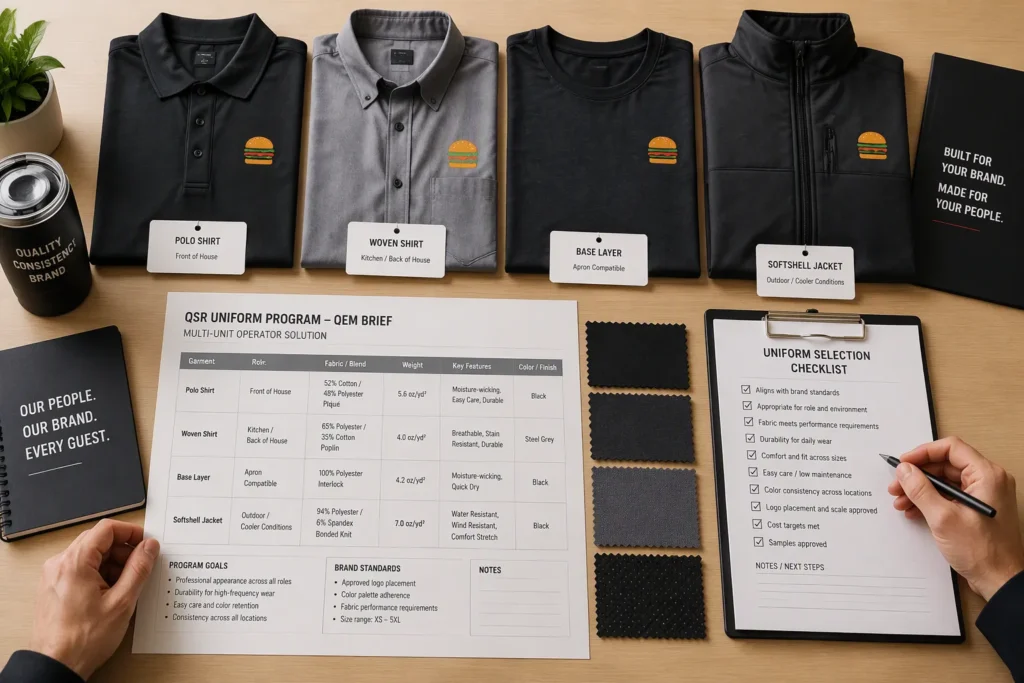
Your brand book sets the standard. The OEM brief turns that standard into a document a factory can build from. Write it once, then reuse it for every location and every reorder. A strong QSR franchise uniform OEM brief removes interpretation. Your supplier reads the same spec your franchisees read.
Spec Stack: Polo, Shirt, Apron Layers, Softshell
The spec stack lists each garment in the order staff wear it. Start with the polo as the base counter layer. Define the collar style, placket, and sleeve length. Move to the woven shirt for shift leads and front-of-house roles. State the weave and the finish you expect.
Apron-compatible layers come next. Kitchen-front staff wear a base garment under the apron. That base must sit flat, resist clinging, and stay comfortable through a full shift. Specify the fit at the shoulder and waist so the apron ties cleanly over it.
Close the stack with the softshell for drive-thru comfort. This layer keeps staff comfortable at the window during cool or windy shifts. Treat it as a comfort garment, not protective equipment. Define the weight, the closure, and the pocket layout.
Fabric choice drives grease performance. Use this table to set your blend spec.
Fabric Blend | Recommended Spec | Effectiveness for Grease/Oil | Notes |
|---|---|---|---|
Polyester-cotton blend | 65/35 minimum, 180–220 gsm | Effective — recommended target for QSR uniforms | Below 180 gsm pills easily; above 220 gsm traps heat |
Pure cotton (>90%) | Not recommended | Absorbs oil and wrinkles excessively | Avoid unless fully lined and pre-shrunk |
Polyester (stain-resistant) | Lightweight, breathable | Helps repel stains, keeps polished look | Comfortable in hot kitchen conditions |
Grease, Wash, and Drive-Thru Durability
Kitchen-front garments face grease and oil every shift. Polyester’s stain-resistant qualities help kitchen staff maintain a polished appearance throughout shifts. The fabric is lightweight and breathable for comfort in hot working conditions. A polyester-rich blend therefore supports your grease and oil exposure needs. Set the poly-cotton blend at 65/35 minimum and 180–220 gsm. A lighter fabric pills easily, and a heavier one traps heat.
Wash durability matters just as much. State how many wash cycles the garment must survive without fading, shrinking, or losing shape. Define the shrinkage tolerance in the brief. Ask your supplier to confirm colorfastness after repeated laundering. Counter kits wash often, so a garment that fades early forces a rework order.
Drive-thru durability centers on comfort and wear at the window. The softshell must resist pilling and hold its shape through repeated use. Specify a breathable build so staff stay comfortable during long shifts. Add a wind-resistant finish for cooler climates. Keep every requirement in the written brief. Your supplier then quotes against one clear standard, and every location receives the same build.
Step 3: Standard Location Submission Form
A standard form turns scattered store requests into comparable data. Every location submits the same fields in the same format. You then merge the responses into one master order without rekeying or guesswork. Build the form once, store it in your brand folder, and issue it to each franchisee at the start of every ordering cycle.
Required Fields per Location
Design the form around the fields you need to build a quote and a production plan. Ask for too little and you chase missing details later. Ask for too much and stores skip questions. The table below covers the core fields.
Field | What to Capture |
|---|---|
Location ID and store type | Mall counter, highway drive-thru, or full kitchen format |
Role breakdown | Headcount per approved garment by role |
Size distribution | Counts per size, taken from the OEM size chart |
Garment and color codes | Style codes from the approved brand list |
Logo and decoration spec | Placement, size, and color per garment |
Requested delivery date | Tied to the opening or refresh date |
Receiving contact | Name, phone, and delivery address |
Require one row per garment per role. A store that lists “20 polos” without a size split forces a follow-up call. A store that lists counts per size moves straight into the master order.
Deadline and Single Point of Contact
Set one submission deadline for the whole network. Publish it well ahead of the production window so late stores do not delay the consolidated order. A single deadline also lets you compare location demand side by side.
Name one contact per location and one coordinator on your side. The location contact owns the form, the size collection, and the receipt confirmation. Your coordinator owns the merge, the supplier questions, and the final approval. Route every question through these two people. Direct store-to-factory contact creates duplicate requests and conflicting specs. Hold the deadline firm, and log any store that misses it for the next cycle.
Step 4: Collect Employee Sizes Accurately
Size errors are the most expensive mistake in a uniform rollout. A wrong size forces a remake, a re-ship, and a delayed opening. You avoid this by giving every location the same measuring tools and the same size reference.
OEM Size Charts and Fit Samples
Request the OEM size chart before any store collects data. The chart lists each measurement point for every size in the approved range. Publish it in your brand folder so every franchisee works from one reference. Employees then measure against the chart instead of guessing from a retail size they wear elsewhere.
Order a fit sample set in the middle sizes of each garment. Send the set to each region on a short rotation. Staff try the samples on and confirm their size against the chart. Record the confirmed size on the location form. A fit sample removes most of the doubt from a remote order, and it costs far less than a remake.
Size packs per store type
Store formats carry different size distributions. A mall counter skews toward smaller sizes and a younger crew. A highway drive-thru often needs a wider spread. Build a size pack for each store type from your own historical order data. Update the pack after each cycle as your crew profile changes.
Store Type | Pack Focus | Planning Note |
|---|---|---|
Mall counter | Narrower spread, smaller sizes | Higher staff turnover, order slightly above headcount |
Highway drive-thru | Wider spread across the range | Include softshell sizes for window shifts |
Full kitchen format | Broader range, apron-compatible bases | Weight the pack toward kitchen-front roles |
Set each pack as a starting point, not a fixed order. Let the location adjust counts per size within the approved range. You keep the volume benefit of a standard pack and still cover the actual crew.
Step 5: Branding and Imprint Requirements
Your logo carries the brand into every customer interaction. A misplaced or faded imprint undermines the standard you built in Step 1. Lock the logo rules in your brand book, then hand the same rules to every location and every supplier.
Logo Placement, Size, and Color
Define one placement per garment and state it in millimeters on the spec sheet. A chest position on the polo, a sleeve position on the softshell, and a centered position on the apron each need a fixed coordinate. Publish a diagram with the measurement from the seam. Stores then stop sending photos of “roughly here” placements.
Set a maximum imprint size for each garment and a minimum size that stays legible at counter distance. Specify the exact color reference for the logo, not a color name. Approve one thread or ink color per background shade. A white logo on a dark polo and a dark logo on a light shirt both belong in the written standard.
Decoration Methods and Durability
QSR uniforms wash constantly, so the decoration must survive repeated cycles. Compare the two main methods before you commit.
Attribute | Embroidery | Screen Printing |
|---|---|---|
Resistance to heavy washing | Withstands heavy washing | Modern inks hold up well, but may fade with heavy washing |
Cracking, fading, or peeling | Does not crack, fade, or peel | Can fade over time under heavy washing |
Best fabric pairing | Thicker fabrics such as polos, jackets, aprons | Cotton or cotton-blend garments |
Overall durability verdict | Best for long-term professional use | Adequate but less durable long-term |
Embroidery suits your polo, softshell, and apron layers. Screen printing fits cotton and cotton-blend shirts where a flat graphic is needed.
For uniforms washed frequently, confirm care instructions for the specific fabric-and-decoration combination, since the finished garment must perform on the job — not just look good in a mockup.
Step 6: Consolidate the Master Order
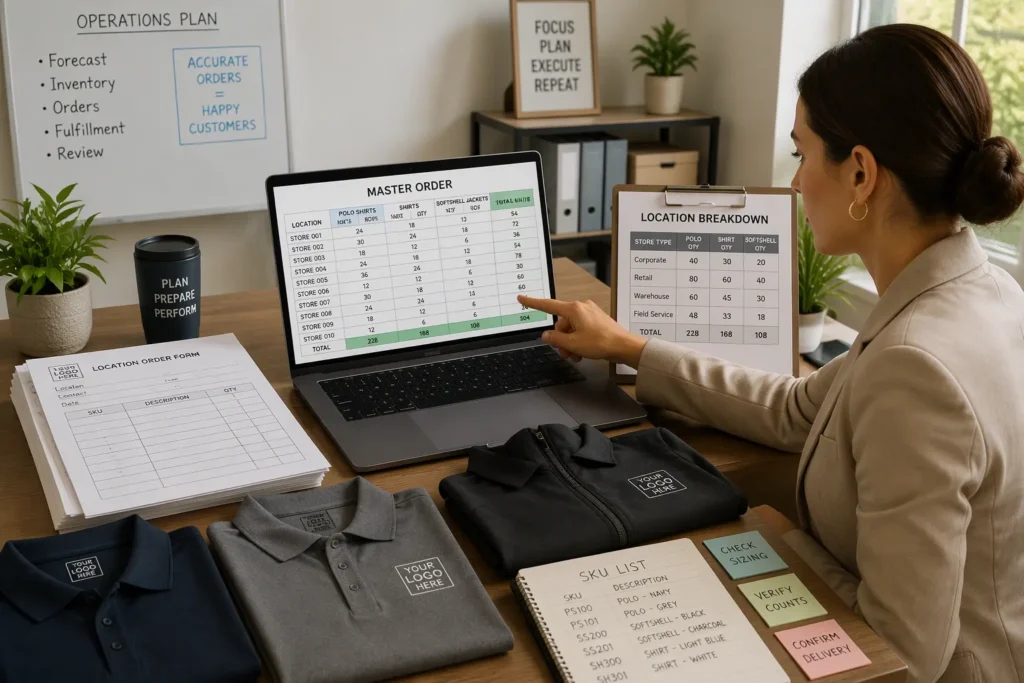
You now hold one completed form from every location. The next move turns those forms into a single purchase. Consolidation gives your supplier one clear demand signal. It also gives you one order to track instead of dozens.
Total Quantities and Location Breakdown
Merge every location form into one master sheet. Keep the location ID on every row. Sum the counts per garment, per color, and per size across the whole network. A simple rollup works well here: total quantity per style equals the sum of all location rows for that style. Check the rollup against each store’s headcount before you send it. A store that orders far above its crew size usually made a keying error.
Build a location breakdown table beside the totals. This view shows where the volume sits and helps you spot outliers early.
Location ID | Store Type | Polo Qty | Shirt Qty | Softshell Qty | Target Delivery |
|---|---|---|---|---|---|
Store A | Mall counter | 24 | 6 | 0 | Opening date |
Store B | Highway drive-thru | 30 | 8 | 12 | Opening date |
Store C | Full kitchen | 28 | 10 | 4 | Refresh date |
Flag any location with an unusual size spread or a missing role. Resolve those flags before the order leaves your desk. A clean breakdown protects the production plan and the delivery schedule.
SKUs, Lead Times, and Volume Tiers
List every style, color, and size combination as its own SKU. Group the SKUs by garment family so your supplier can plan cutting and sewing in sequence. Fewer SKUs per family usually shorten the production window. Consolidate colors where the brand book allows it, and keep the approved palette tight.
Map each SKU to a target delivery date. Work backward from your opening and refresh dates. Ask your supplier for a production lead time per garment family, then add transit time to each destination. Share the full schedule with franchisees so they plan staffing and store setup around it.
Volume tiers reward consolidation. A single style run across many locations typically earns better terms than split orders. Ask your QSR franchise uniform OEM partner to quote the consolidated volume as one program, then compare that quote against a split-order scenario. The consolidated path usually wins on both unit terms and consistency.
Confirm the order in writing before production starts. State quantities, SKUs, delivery dates, and receiving contacts in one document. Both sides sign it. This record becomes your reference for the proof and sample gates ahead.
Step 7: Review the Uniform Proof
You have a signed order and a clean master sheet. Now you verify that the factory understood both. The proof stage catches errors while a correction costs nothing. Skip it, and the same error appears on every garment in the run.
Digital Proof Checks
A digital proof shows your artwork on the actual garment, in the actual placement, at the actual size. Review it against the brand book, not against memory. Work through four checks in order.
Confirm the logo placement matches the millimeter coordinate on your spec sheet.
Compare the imprint size against the maximum and minimum you set for that garment.
Verify the color reference against the approved shade for that background.
Check the style code, color code, and size range against the master order.
Send the proof to one approver only. A committee of reviewers produces conflicting markups and delays the run. Your single approver signs off in writing, and that signature joins the order file.
Read the proof at counter distance as well as on screen. A logo that looks correct at full zoom can lose legibility across a service counter. Flag any placement that sits close to a seam, a pocket, or a placket curve. Embroidery pulls fabric slightly, so a tight placement can distort the mark.
Pre-Production Sample Sign-Off
The pre-production sample is your last gate before bulk. It is a finished garment built to your brief, using the approved fabric, decoration, and construction. Treat it as the reference piece for the entire run.
Inspect the sample against the spec stack. Check the fabric weight and blend, the collar and placket build, and the apron-compatible fit at the shoulder and waist. Confirm the decoration method and its durability on that fabric. Wash the sample if your brief sets a wash requirement, then recheck color and shape.
Approve the sample in writing and keep it on file. Your supplier then holds that piece as the bulk standard. Any later dispute resolves against the signed sample, not against opinion. Once you sign, release the bulk run.
Step 8: Plan Distribution and Replenishment
Route Kits and Track Receipts
A finished bulk order is not a finished rollout. You still need each kit to reach the right store, in the right size mix, before the opening date. Build a route plan from the location breakdown in your master sheet. Group stores by region and assign each group a delivery window. Label every carton with the location ID, the store type, and the garment list inside. A carton that carries a clear label moves through a receiving dock without a phone call.
Track receipts at the store level, not at the network level. Ask each location contact to confirm the carton count and the size counts on arrival. Compare that confirmation against the master sheet. A short carton or a wrong size mix shows up in the first week, while a correction is still cheap. Keep the signed receipt in the same file as the approved sample. That file then answers any later question about what shipped and what arrived.
Par Levels and Franchisee Reorder Timing
Set a par level for every garment at every store. A par level is the stock a location holds to cover normal wear, laundering, and new hires. Base it on crew headcount and the size pack for that store type. A mall counter with high turnover needs a higher par than a stable full kitchen team. Publish the par level in the brand folder so franchisees order against a target instead of a guess.
Define reorder timing around your production lead time. Work backward from the date a store needs stock, then subtract the lead time and the transit window. Give franchisees a reorder trigger tied to their par level, so a store reorders when stock drops below that line. Review the trigger each cycle and adjust it as crew profiles change.
Store Type | Par Level Basis | Reorder Trigger |
|---|---|---|
Mall counter | Headcount plus turnover allowance | Stock falls below par |
Highway drive-thru | Headcount plus softshell reserve | Stock falls below par |
Full kitchen | Headcount plus apron-layer reserve | Stock falls below par |
RFQ and Specs Table
You now hold every input a supplier needs to quote. Package those inputs into one RFQ document. A single table replaces the back-and-forth of emails, spreadsheets, and phone calls. Your supplier reads one row per style and returns a quote against a fixed spec.
Build the table from your approved brand list and your consolidated master order. Fill every column before you send it. A blank cell invites a supplier assumption, and an assumption becomes a rework ticket later. Use the table below as your template.
Style | Fabric | Decoration Method | Size Range | Qty per Location | Target Delivery |
|---|---|---|---|---|---|
Counter polo | Poly-cotton 65/35, 180–220 gsm | Embroidery, left chest | Full OEM range | Per location form | Opening or refresh date |
Shift-lead shirt | Woven cotton blend | Screen printing, chest | Full OEM range | Per location form | Opening or refresh date |
Apron-compatible base | Poly-cotton 65/35, 180–220 gsm | Embroidery, chest | Full OEM range | Per location form | Opening or refresh date |
Drive-thru softshell | Breathable poly blend, wind-resistant finish | Embroidery, sleeve | Full OEM range | Per location form | Opening or refresh date |
State the quantity per location as a reference to the location form, not as a single network total. Your supplier then sees the demand spread and can plan cutting and sewing in sequence. Attach the location breakdown sheet to the RFQ so both documents travel together.
Name the target delivery date for each style. Work backward from your opening and refresh dates, and leave room for transit to each destination. Ask your supplier to confirm a production lead time per garment family against those dates.
Send the completed table to rill@topfortunemail.com or share it on WhatsApp at +86 13524210501. Ask for a written quote that mirrors the table row by row. A quote built on this structure gives you a clean comparison and a clear record for the proof and sample gates ahead.
Sample to PPS to Bulk Gates
Three gates stand between your approved brief and a full production run. Each gate catches a different class of error. You move forward only when the current gate passes in writing.
Sample Stage
The sample stage proves the concept. Your supplier builds an initial piece from the spec stack. This piece tests fabric, construction, and decoration together for the first time. You inspect it against the written brief, not against a verbal understanding.
Check the fabric weight and blend against your stated target. Confirm the collar and placket build on the polo. Verify the apron-compatible fit at the shoulder and waist. Review the logo placement against the millimeter coordinate on your spec sheet. Wash the sample if your brief sets a wash requirement, then recheck color and shape. Note every correction in one written list. Send that list to your supplier as the change record for the next build.
PPS and Bulk Approval
The pre-production sample, or PPS, is the finished garment built to your corrected spec. It uses the approved fabric, decoration, and construction. Treat the PPS as the reference piece for the entire run. Inspect it against the same checklist you used at the sample stage, plus every correction from your change record.
Approve the PPS in writing and keep it on file. Your supplier then holds that piece as the bulk standard. Any later dispute resolves against the signed PPS, not against opinion. Release the bulk run only after that signature. A bulk order that starts without a signed PPS has no fixed reference, and every location inherits the risk.
QSR Franchise Uniform OEM vs. Single-Site Buying
A single cafe orders uniforms for one crew and one location. A multi-unit QSR program orders for many stores under one brand standard. Both paths work well. Each one fits a different scale of operation. The table below shows where each approach fits best.
Factor | Single-Site Cafe Buy | Multi-Unit QSR OEM Program |
|---|---|---|
Order scope | One location, one crew | Many locations, one consolidated order |
Size handling | Staff try samples in person | OEM size charts and fit samples per region |
Branding control | Owner approves each piece | Written brand book and digital proof gates |
Reorder path | Ad-hoc, as needed | Par levels and defined reorder triggers |
Best fit | Independent cafe or first location | Franchise estate with openings and refreshes |
A single-site cafe buy suits an independent operator. You know your crew by name, and you can fit each person in person. A local supplier handles a small run with little paperwork. This path keeps decisions close and moves fast for one store.
A QSR franchise uniform OEM program suits an operator who runs many stores under one brand. You need one standard, one master order, and one approval trail. The volume across locations supports a dedicated production run. You gain consistency at every counter and kitchen-front station.
The two paths differ in coordination, not in quality. A cafe that grows into a small chain often moves from the first path to the second. You can read a detailed single-site process in the cafe staff uniform OEM procurement checklist at https://www.workwearmanufacturer.com/cafe-staff-uniform-oem-procurement-checklist/. For a chain-wide rollout, the chain store staff uniform OEM checklist at https://www.workwearmanufacturer.com/chain-store-staff-uniform-oem-checklist/ walks through the multi-location steps. Match the path to your store count and your brand control needs.
Common Mistakes to Avoid
Most rework in a multi-unit rollout traces back to a handful of repeat errors. You can prevent nearly all of them with the gates you already built in the earlier steps. The patterns below show where programs usually slip.
Ordering Errors That Drive Rework
The costliest mistake is a size list built from retail sizes instead of the OEM size chart. Staff guess their size from a shirt they wear at home. The factory builds to the chart, and the finished garment fits wrong. You then pay for a remake and a second shipment. Give every location the chart and a fit sample, and record confirmed sizes on the form.
A second error is a store that submits a headcount without a size split. Your coordinator cannot merge that row into the master order. The follow-up call delays the whole cycle. Require counts per size on every row, and reject incomplete forms at the deadline.
Duplicate orders also drain budget. Two people at one location order the same polo, and the master sheet double-counts it. Compare each store’s total against its crew size before you send the order. A total far above headcount usually signals a keying error or a repeat submission.
Approval and Distribution Pitfalls
Approval fails when too many reviewers touch the proof. Each reviewer marks up a different detail, and the markups conflict. Name one approver and collect every comment through that person. The same rule applies to the pre-production sample. A bulk run that starts without a signed sample has no fixed reference, and every location inherits the risk.
Distribution fails when cartons carry no location label. A receiving dock then guesses which store gets which kit. Label every carton with the location ID, the store type, and the garment list inside. Ask each store contact to confirm carton and size counts on arrival, then file that receipt beside the approved sample.
Finally, skip the par level and stores reorder in a panic. Set the par level per store type and publish a reorder trigger. A planned reorder costs less than an emergency buy every time.
Copy-Paste Procurement Checklist
The steps above work as one sequence. This condensed checklist lets you run that sequence without reopening the full guide. Copy it into your project file and tick each item as you complete it. The four phases follow your order calendar, from the first store request to the final receipt.
Pre-order
Publish the approved garment list by role in the brand folder.
Lock colors, fabrics, and seasonal variants in the brand book.
Issue the standard location form with one deadline and one contact.
Send the OEM size chart and fit samples to every region.
Confirm logo placement, size, and color per garment.
Order
Merge every location form into one master sheet with location IDs.
Check each store total against its crew headcount.
List every style, color, and size combination as its own SKU.
Map each SKU to a target delivery date.
Send the RFQ table to your QSR franchise uniform OEM partner.
Approval
Review the digital proof against the brand book.
Route all proof comments through one approver.
Inspect the sample against the spec stack and log corrections.
Sign off the pre-production sample in writing and keep it on file.
Release the bulk run only after that signature.
Delivery
Label every carton with the location ID and garment list.
Track receipts at the store level against the master sheet.
File each signed receipt beside the approved sample.
Set par levels per store type and publish reorder triggers.
For garment-specific sourcing, review the custom polo shirt manufacturer page at https://www.workwearmanufacturer.com/custom-polo-shirt-manufacturer/ and the custom jacket manufacturer page at https://www.workwearmanufacturer.com/custom-jacket-manufacturer/. The blog at https://www.workwearmanufacturer.com/blog/ covers further procurement topics. Run this checklist each cycle, and your QSR franchise uniform OEM program stays consistent across every location.
CTA
You now hold a complete process for standardizing counter and kitchen-front uniforms across every location. The next move belongs to you. Send your garment list, your location count, and your target delivery dates to the team at Shanghai Top Fortune Industry Co., Ltd. Email rill@topfortunemail.com or message WhatsApp +86 13524210501 to request a quote. A short message with those three details gives the team enough to map your brief onto a production plan.
Bring the documents you built in the earlier steps. Attach your approved garment list by role, your consolidated master sheet, and the RFQ table with one row per style. The team can then quote against a fixed spec instead of trading clarifying emails. You receive a written response that mirrors your table row by row, which makes comparison and internal sign-off far simpler.
Ask for the OEM size chart and a fit sample set in the same message. Both items let your regional teams confirm sizes before bulk production starts. Request a production lead time per garment family as well. That figure lets you work backward from each opening and refresh date and set a realistic delivery window for every store.
Plan the conversation around your calendar, not around a single order. Tell the team about upcoming openings, planned rebrands, and seasonal refreshes. A supplier who sees the full cycle can sequence cutting and sewing across garment families and hold your standard from one run to the next. You gain a partner who knows your brand book, not a vendor who quotes one purchase.
Keep the approved sample and the signed pre-production piece on file after delivery. They become your reference for every future reorder and every new franchisee. Reach out at rill@topfortunemail.com or on WhatsApp at +86 13524210501, and put the checklist to work on your next rollout.
One standardized OEM checklist gives you fewer errors, consistent branding, and predictable costs across every unit. Each store orders from the same approved standard. Counter and kitchen-front kits then match from the first opening to the latest refresh.
Treat this checklist as a repeatable process. Run it for new store openings, brand refreshes, and seasonal uniform updates. The steps stay the same each time. Your team moves faster with every cycle.
Assign one owner to the checklist. Review it at the start of each ordering cycle. That small habit keeps your uniform program sharp as your franchise estate grows.
FAQ
What is the minimum order quantity for a QSR franchise uniform OEM program?
The minimum order quantity is about 2,000 pieces per style. That volume suits a franchise estate better than a single-store purchase. You combine location demand into one style run and gain a consistent build across the network.
How do I request a quote for a multi-unit rollout?
Send your approved garment list, your location count, and your target delivery dates to rill@topfortunemail.com or WhatsApp +86 13524210501. Attach your consolidated master sheet and the RFQ table. The team returns a written quote that mirrors your table row by row.
How far ahead should I plan production before a store opening?
Work backward from each opening date. Ask your supplier for a production lead time per garment family, then add transit time to each destination. Build the proof and sample gates into that window. A signed pre-production sample must come before the bulk run starts.
How do remote stores confirm sizes without a local fitting?
Send the OEM size chart and a fit sample set to each region on a short rotation. Staff try the samples and confirm their size against the chart. Record the confirmed size on the location form before the master order is merged.
When should franchisees reorder uniforms?
Set a par level for every garment at every store. Publish a reorder trigger tied to that par level. Subtract your production lead time and transit window from the date a store needs stock, then let the trigger start the reorder.